
A new scam campaign arrived in my Fiverr inbox. Let’s break it down.
By Christopher Mohr
Day 84 of 100 in the 100 Days of Cyber Challenge
I am in the process of starting a database consulting business and to get more opportunities, I have created Fiverr and Upwork accounts offering services.
While I have been getting some activity lately, it was not what I had hoped for. If you read the previous Malware Monday blog, you would have seen a phishing campaign asking me to help someone circumvent Fiverr’s account restrictions to work with American companies so they could make more money. In exchange for my help, I supposedly would have made a few hundred bucks helping this person “stick it to the man”.
What would actually have happened is a complete account takeover, a takeover of my machine and a lifetime ban from Fiverr and Upwork. As my blue-team mascot CyberDog often says, “No thanks!”
Another scam campaign emerged the next day and I want to break it down. This one is a little more well thought out, but with a little examination you can still find some nefarious stuff going on.
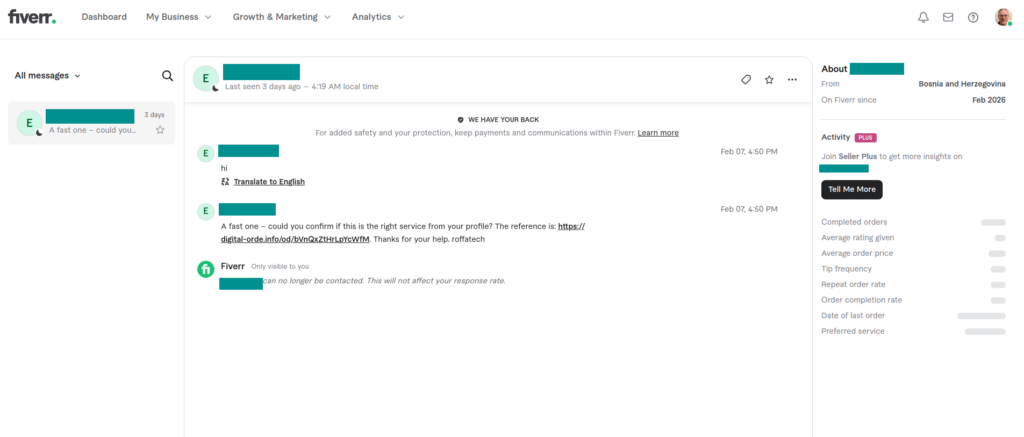
My Fiverr inbox showed signs of suspicious activity from the get-go (right click and view in another tab for a better view)
It Starts with an Unsolicited Email in Fiverr’s Inbox
A message with “could you confirm if this is the right service from your profile” appears in my inbox, but I never saw any orders in that section of my account. Something doesn’t add up.
I don’t dare click on the reference link in the message. There could be drive-by exploits that take advantage of browser vulnerabilities, malicious scripts that run when the page loads, and other unexpected surprises waiting for me on that page.
But it would be nice to know what’s in the page. So I carefully copied the URL shown in the above picture, went to URLScan.io, pasted the link in a text field, and clicked a button to initiate the scan. This is what came back:
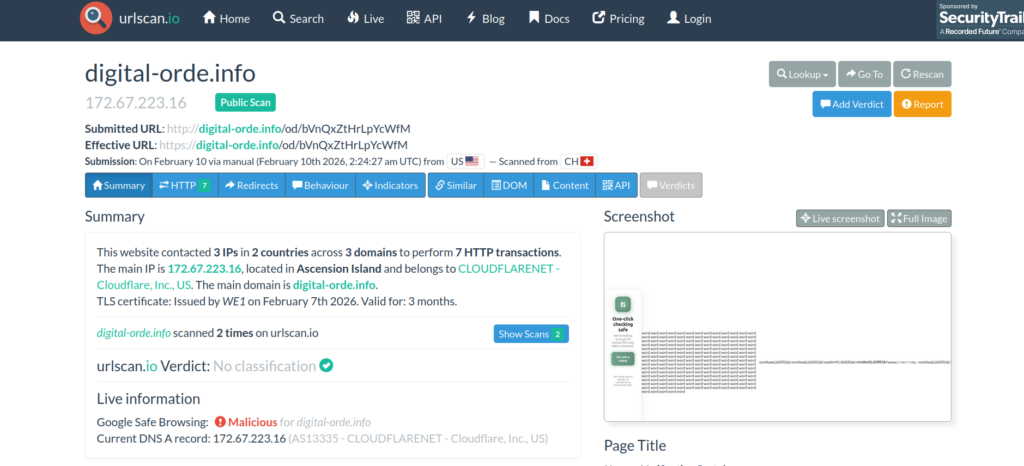
URLscan.io screenshot shows scan from 9 February 2026 in the evening.
Click on HTTP to get a list of HTTP transactions. The following page displays:
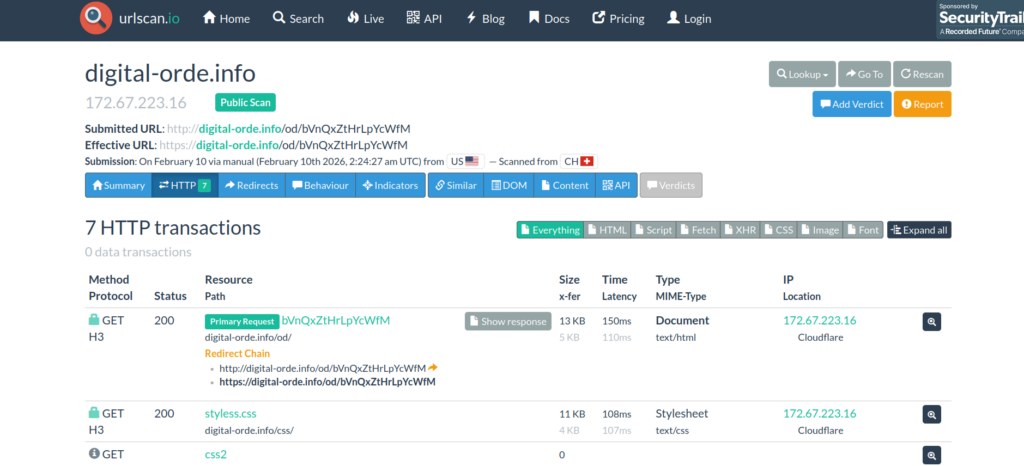
Clicking on Primary Request/Show response will take us to some source code. This is where it gets interesting:
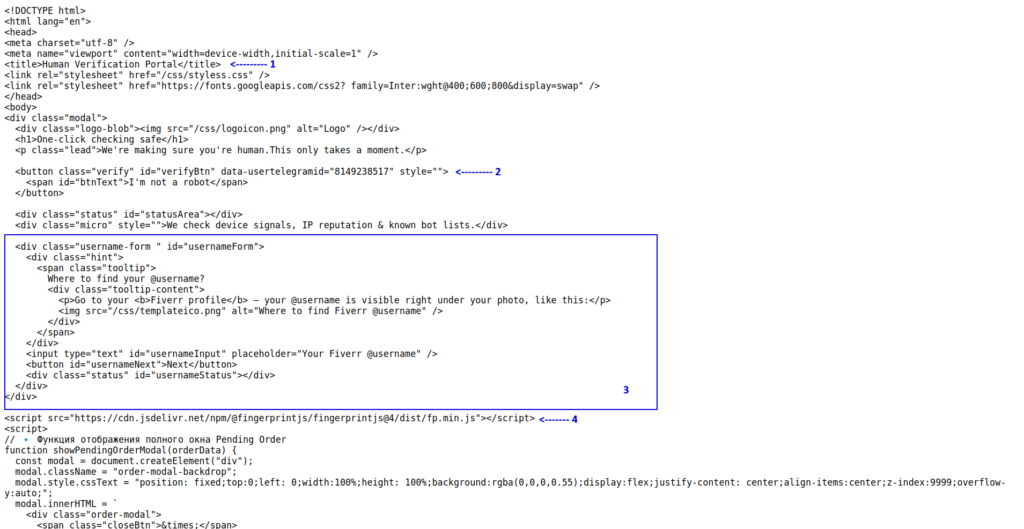
Don’t be discouraged by the code if you are not an HTML coder. Basic reading will uncover some red flags.
Look at item 1: “Human Verification Portal”. What’s wrong with this caption?
In order to view this site, you would have had to click the link in the inbox message, but you cannot see what’s in the Fiverr inbox unless you are already logged into Fiverr. You should not have to log in again or go through a “human verification portal”.
Now look at item 2. Why is there a hard-coded reference to a Telegram ID on a supposedly Fiverr page? Are we sending user credentials to that account?
Since the term ‘verify’ appears a couple of times near the caption, “I’m not a robot” makes me think this is a fake captcha of some kind.
Item 3 looks like a form impersonating a Fiverr authentication popup.
Everything in items 1-3 is more about psychology: getting the user to feel comfortable, like they are still in the Fiverr environment. There isn’t any actual bad stuff going on until we get to item 4.
Item 4 is using browser fingerprinting to create a persistent unique identification profile. It lets them see if they have repeat customers. This is important from the attacker’s perspective: is the repeat customer a security researcher or a repeat victim?
Making the distinction would require some programmatic analysis. Does the profile defined by a given fingerprint leave frequently without providing credentials? If so, that profile may be a researcher and would require different handling than a repeat victim would.
The next section of code is more impersonation. This time it makes the victim think a payment is being processed, when this is a mostly hard-coded screen choreographed to look like a payment is being processed. More psychological manipulation.
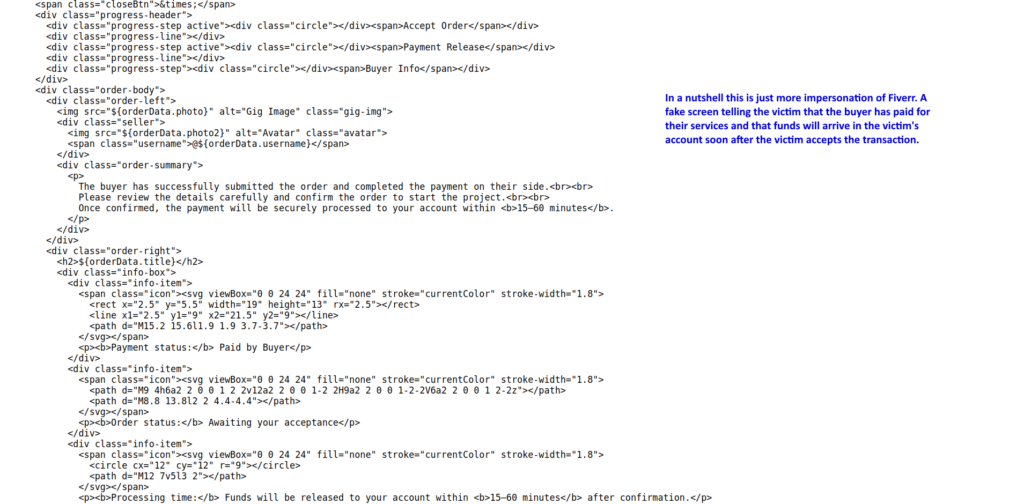
I’m going to stop with the code analysis at this point, because it soon starts to get into JavaScript which I have little experience doing, but I would imagine I’m going to be learning some in the next few weeks.
From a high level, the attacker’s strategy is to use the HTML to play the psychological game with the victim by creating illusions of Fiverr UI while the JavaScript is running under the hood to do all the attack’s dirty work.
Uncovering the Visual Aspects of the Page Safely
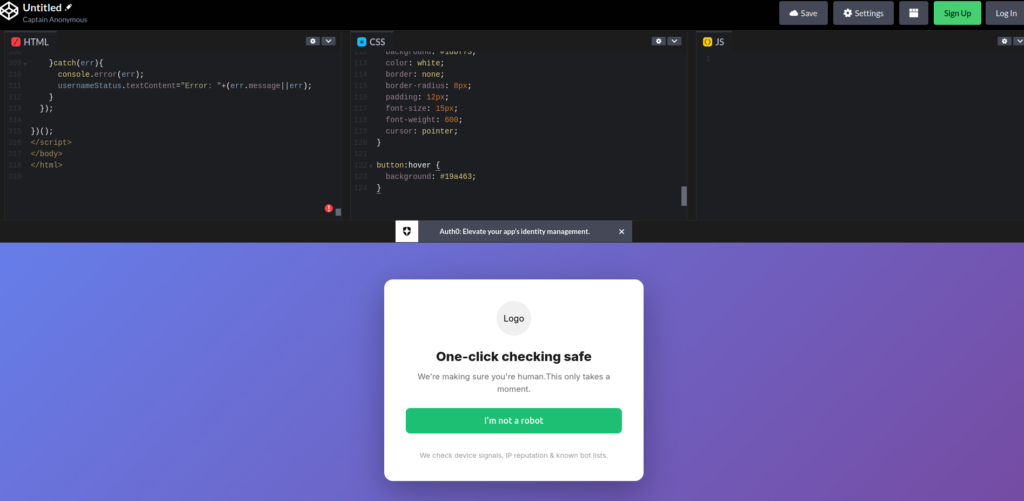
Getting screenshots is a bit of a challenge. You can copy and paste the code into a tool like codepen.io to get a raw circa-1996-HTML look but we don’t have the actual CSS that the attackers use.
This is for the same reason that we never clicked the link in the Fiverr inbox. We do not want to trigger tracking or drive-by exploits, launch malware, or expose this investigation to attackers.
With the help of Claude.AI I created a CSS that approximates the look and feel of Fiverr and likely the CSS the attackers use. The result appears in the screenshot below:
If there are two things you can learn from this article they are (1) you can learn more about malicious code without activating it and (2) you don’t necessarily need to be an expert in a programming language to see that some code is up to no good. There are also tools you can use to see what the malicious site probably looks like without activating malicious code.